
The Worx WA3713 charger has a series of status lights that tell you exactly where your battery stands. Signals are easy to read once you know what to look for.
Understanding Status Indicators
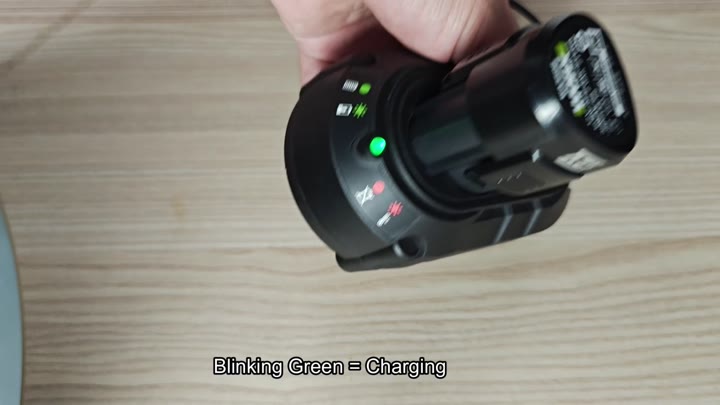
You know immediately if something is wrong with your battery or if it’s fully charged. The lights shows you all of this.
If you plugged your battery into a charger, look for a blinking green light. That show that the battery is receiving charge and beginning the charging cycle.
If you see that blinking green light, let the battery do its job. It’s doing what it needs to be doing. It’s charging. No worries. That blinking green light also shows everything are going right on schedule. No need to mess with it at all.
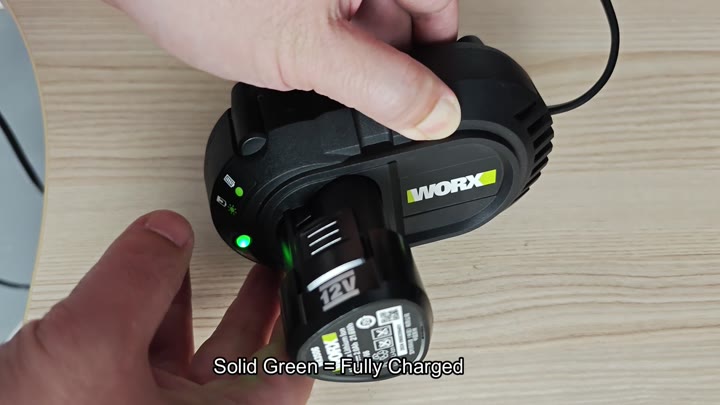
When the battery fully charge, the light turns solid green. When it’s solid green, you know the battery is charged and it’s time to go.
No more waiting. No worries. It’s solidly green, and you’re good to go. That’s when you take the battery out of the charger and get back to work.

Battery has a temp problem
If your battery gets too warm or cold it will blink red light and the charger will not allow charging because this keeps it from damaging the battery. So if you go out on really cold days and leave it outside, it can do that.
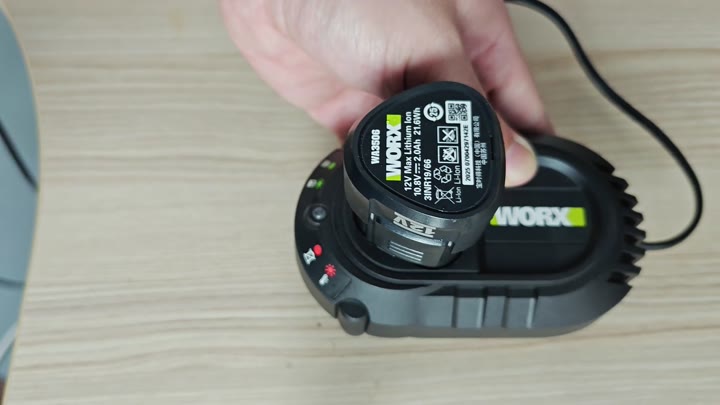
Let the battery come back up to room temperature first before attempting to charge again.
Safety is the priority here, so you must let the temperature stabilize.
And it’s all about safety. Let that battery tempurature stabilize.
A solid red light mean there’s a serious fault with the battery or a fault with the unit itself. The battery might be dead but sometimes all it needs is a reset.
Before you throw out your battery, try resetting it because it might still work. Seeing a solid red light shouldn’t cause panic. It’s usually something that can be fixed and a simple reset will get the battery back up.
That clears up a lot of mystery about how it charges. Now that we understand the four lights, we don’t have to scratch our heads any more.
Green blinks = charging. Green stays solid = done. Red blinks = wait for temperature. Red stays solid = check for defects.
It’s simple to follow and will ensure that you can move through your day efficienty without any hiccups. No more mystery. The charger tells you everything you need to know about your power source. You would of had less stress and more organization.
